 Hint
Hintoku · Your Sudoku coach
Sudoku puzzles you know you can solve.
- 1Learn strategies one at a time, with interactive demos
- 2Play levels built from the strategies you know, not vague labels like “Hard” or “Extreme”
- 3Ask for hints only when you need them – from a gentle nudge to a full walkthrough on your board


Sudoku built for thumbs, not mice · iPhone & Android

How it works
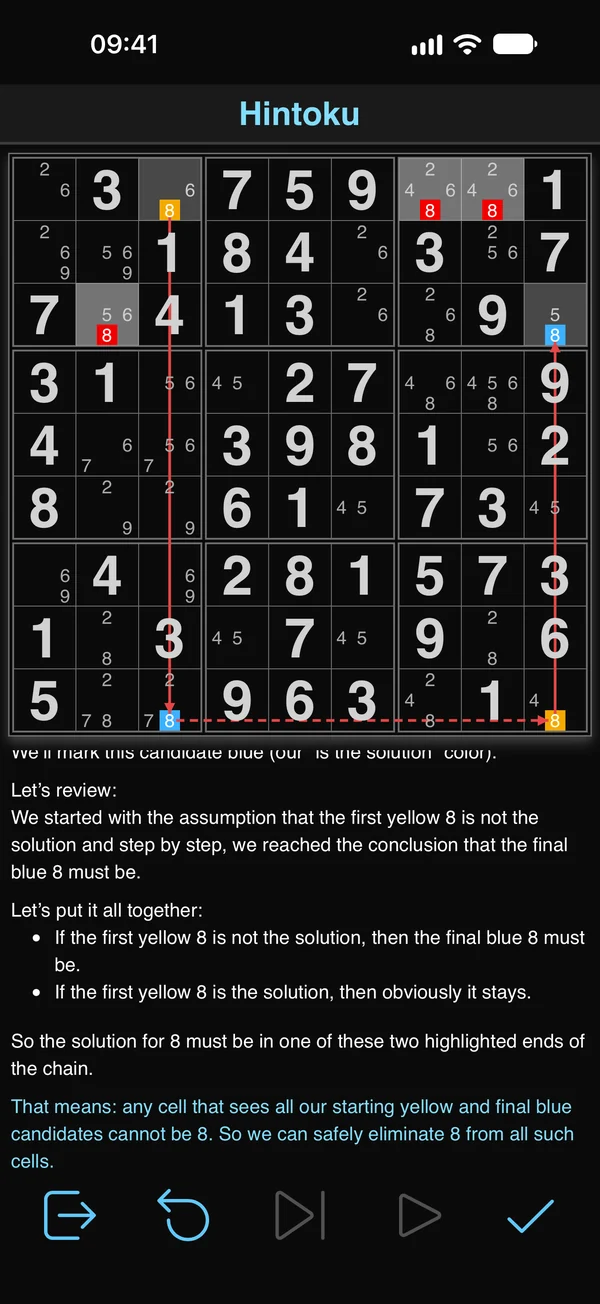
Learn strategies
Watch each one play out on a real board, step by step.
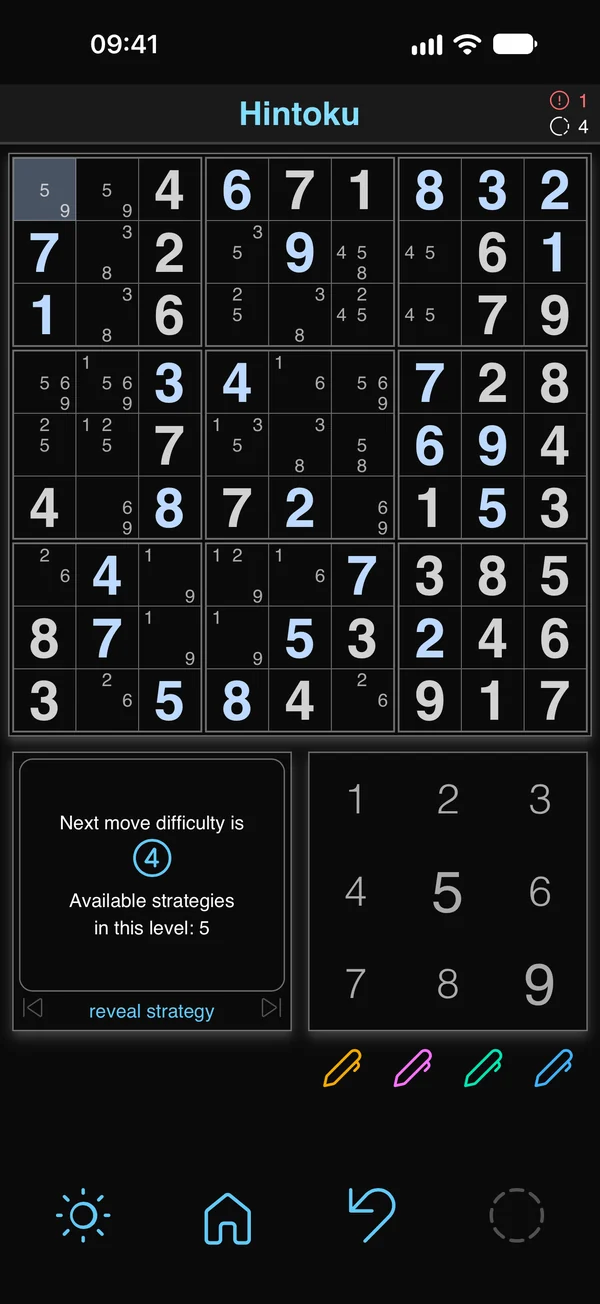
Play levels
Each one needs only the strategies you've learned so far.
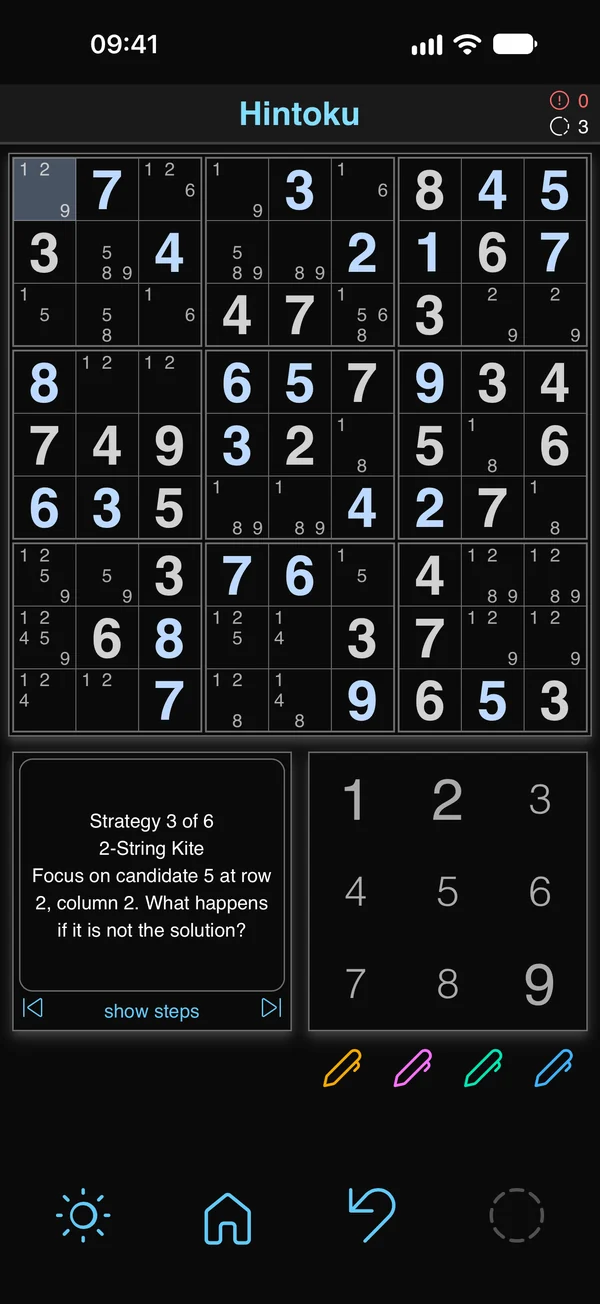
Why you didn't see it – and how Hintoku helps
A newspaper puzzle never tells you which pattern is hiding on the board – and most Sudoku apps don't either. Their hints either say nothing useful or simply fill in the answer. So you stare, you guess, you give up.
Hintoku's hints come in layers, and you only take as much help as you need. First you always see the difficulty of the easiest next move – a low number means you missed something simple, a high one means it's time for a pattern. Still stuck? One tap names the strategy, the next one points you where to look, like a digit or a row, and the last one walks through it step by step on your own board.
 Always onAlways see the next move difficulty
 1st tapStuck? Get the strategy name
 2nd tapStuck? Get a strategy hint
 3rd tapStuck? See a walkthrough on your board
3rd tap · Try it here
See a walkthrough in action
The same step-by-step walkthrough you get in the app – pick a strategy:
Built from ten real frustrations
I wanted to know what I was getting into – not puzzles that turned out trivial or impossible (for me), but puzzles I knew I could crack. No app did that, so I built my own. Every feature answers something that annoyed me in other apps:
— Martin, Hintoku's developer
- 1
Unreliable difficulty ratings
“Diabolical” that folds in five minutes, then a “Medium” that needs a Finned Mutant Jellyfish strategy you've never even heard of.
Hintoku: Puzzles are grouped by the exact strategies they need, and each level teaches its one or two new ones before you play – so you always have the right tools in your toolbox for the job.
- 2
Missing the obvious
Ten minutes hunting for a complex X-Chain – then you spot a dead-simple Naked Single. In box 1. The shame!
Hintoku: You always see the difficulty of the easiest next move – so you know whether to scan for something basic or gear up for a pattern.
- 3
Hints that just spoil the puzzle
Stuck? Give up, or look up the solution online – which feels like cheating. You wanted a nudge, not the answer.
Hintoku: Hints come in layers: strategy name, then a tip, then a full walkthrough on your board – the last step of the lesson, not cheating.
See 7 more
- 4
Stuck on someone else's puzzle
The newspaper Sudoku you can't crack, with no hints and no one to ask.
Hintoku: Type in your own grid and get the same step-by-step hints for it – so it works with puzzles from anywhere.
- 5
The delayed doom of a wrong move
A “genius” move, then a dead end twenty minutes later. One of your last 30 moves was wrong – but which one?
Hintoku: Your spotter: it warns you right away if a move – even removing a candidate – would make the puzzle unsolvable.
- 6
Ads when you're deep in thought
One step from cracking it – and the screen cuts to a dramatic ad about towers blasting waves of aliens.
Hintoku: No ads. Ever. Strategy guides, demos and plenty of puzzles are free; a single one-time purchase unlocks the rest.
- 7
The “No Internet” brick wall
A quiet moment on a plane or in the subway – and your Sudoku app greets you with “Connection Error”.
Hintoku: 100% offline. Every puzzle, strategy guide and hint lives on your device – on a plane, in a tunnel or in a cabin in the woods.
- 8
Clunky controls
Switching between “solve mode” and “pencil mode” feels like patting your head and rubbing your stomach at the same time.
Hintoku: Tap a number to add or remove it as a candidate, long-press to place it. That's it. No toggles.
- 9
Losing track of everything
Juggling every possible spot for one number melts your brain – and the highlights that help are a pain to turn off.
Hintoku: Spotlight: tap a number to light up every cell and candidate with it, tap again to clear. There when you need it, gone when you don't.
- 10
The pencil-mark grind
Filling in every possible candidate at the start of a hard puzzle isn't fun – it's accounting!
Hintoku: Once you reach the candidate strategies, all candidates can be pre-filled for you – no busywork, straight to solving.
The learning path
24 strategies, from Full House to Coloring – each one builds on the ones before. You start with the solved-number basics, then candidates take over, and short chains lead you to the advanced techniques.
Frequently asked questions
What is Hintoku?
Hintoku is a Sudoku app for iPhone and Android that teaches you to solve Sudoku with logic. Each level (called a strategy group in the app) introduces one or two new strategies with interactive demos, then gives you puzzles that need exactly those strategies.
Is Hintoku just a teaching app?
Not at all. It's a great way to learn new “tricks” (strategies) in the right order – but at heart Hintoku is a Sudoku game, built from the ground up for playing on your phone. Once you know the strategies, the levels are simply great puzzles to enjoy.
How is Hintoku different from other Sudoku apps?
Most apps sort puzzles under vague labels such as Easy, Hard or Expert. Hintoku groups puzzles by the strategies needed to solve them, so you always know what to expect and never meet a technique you haven't learned. When you get stuck, the hints start with a small nudge – the difficulty of the easiest next move – and only reveal more if you ask.
What does the hint system show?
Hints come in layers: first the difficulty of the easiest available move, then the name of the strategy, then a more detailed tip, and finally a step-by-step walkthrough of that strategy applied to your own board – not a generic example.
You say Hintoku is made for phones – aren't all Sudoku apps the same?
Not really. Hintoku is mobile-only, and every screen was designed for touch first. A few examples: tap a number to add or remove a candidate, long-press it to place it as the solution – no mode switching. Buttons are sized for fingers, not mouse pointers. Long-press a colour pen to clear all its marks at once. The tutorials (the blue buttons in the app) show many more.
I've heard of Sudoku but never played. Do I need to know the rules?
No. Hintoku starts with a short tutorial on the rules and the controls, then teaches the first simple tricks one at a time. Every level uses only what you've learned so far, so you're never thrown in at the deep end. …or read the rules page →
I play Sudoku without the small numbers (candidates). Is Hintoku for me?
Yes. The first levels are solved just by looking at the placed numbers – exactly how you play now. Then Hintoku introduces candidates – and they're worth a try: playing with candidates feels like a brand-new kind of game, and it opens up strategies you simply can't do in your head. …or read the candidates page →
Do I ever need to guess?
Never. Every puzzle in Hintoku can be solved by logic alone – with the strategies you've learned so far, no trial and error.
Which Sudoku strategies does Hintoku teach?
From the basics (Full House, Hidden and Naked Singles, Pointing Nth, Box Reduction, Naked and Hidden Nth) through intermediate patterns (XY-Wing, XYZ-Wing, Skyscraper, Fish, Finned Fish, 2-String Kite & Crane, Empty Rectangle, W-Wing) to advanced chains (X-Chains, XY-Chains, Forcing Chains, ALS-XZ and Coloring).
I already crack the “Extreme” puzzles in other apps. Can I skip to the advanced levels?
Sorry, no. Hintoku teaches its controls and strategies in a set order, so you move along the path level by level. Don't worry, it's quick: one finished game is enough to move on to the next level. And an honest heads-up: many apps' “Hard” or “Extreme” puzzles only need what Hintoku considers intermediate strategies – so working through the path is also a good way to find out where you really stand.
I already know X-Wings and Skyscrapers. Do I still start from the beginning?
Yes – same as above: one finished game per level moves you along quickly. You'll likely still pick up something on the way: strategies come in harder variants (Swordfish and Jellyfish after the X-Wing, for example), and you'll learn the controls the advanced levels rely on before you need them.
I want to practise advanced strategies. Can I skip all the singles at the start of a game?
Yes – use Practice mode. It's the same game, but it fast-forwards to the moment where the strategy you're practising can be applied. To drill just that one strategy, apply it, quit and start Practice again – you'll get it served one example after another.
I already know everything Hintoku teaches. Is it still for me?
Probably yes – try the forcing chains and ALS-XZ levels. Their puzzles are seriously hard and need forcing chains with group nodes. Hintoku includes the strategies a human can realistically spot and apply, and forcing chains sit right at that edge. If you still miss a strategy, email me at m@hlms.cz – I'd be happy to add more.
Can Hintoku help with a puzzle from a newspaper or another app?
Yes. With Own Puzzle you type in any grid and either solve it outright or use the same layered hints step by step.
Is Hintoku free?
Hintoku is free to download, with every strategy demo included. The whole first level is free: 3 Play buttons with 250 puzzles each – 750 games. After that, the first 10 puzzles of every level are free. A single one-time purchase unlocks everything – 7,500 puzzles in total. No ads, no subscription.
Does Hintoku work offline?
Yes. Everything – puzzles, strategy demos and hints – works offline, on a plane or deep in a subway tunnel.
Is Hintoku available on Android and iPhone?
Yes – Hintoku is available on the App Store for iPhone and on Google Play for Android.
Stop guessing. Start solving.
Free to download on iPhone and Android.